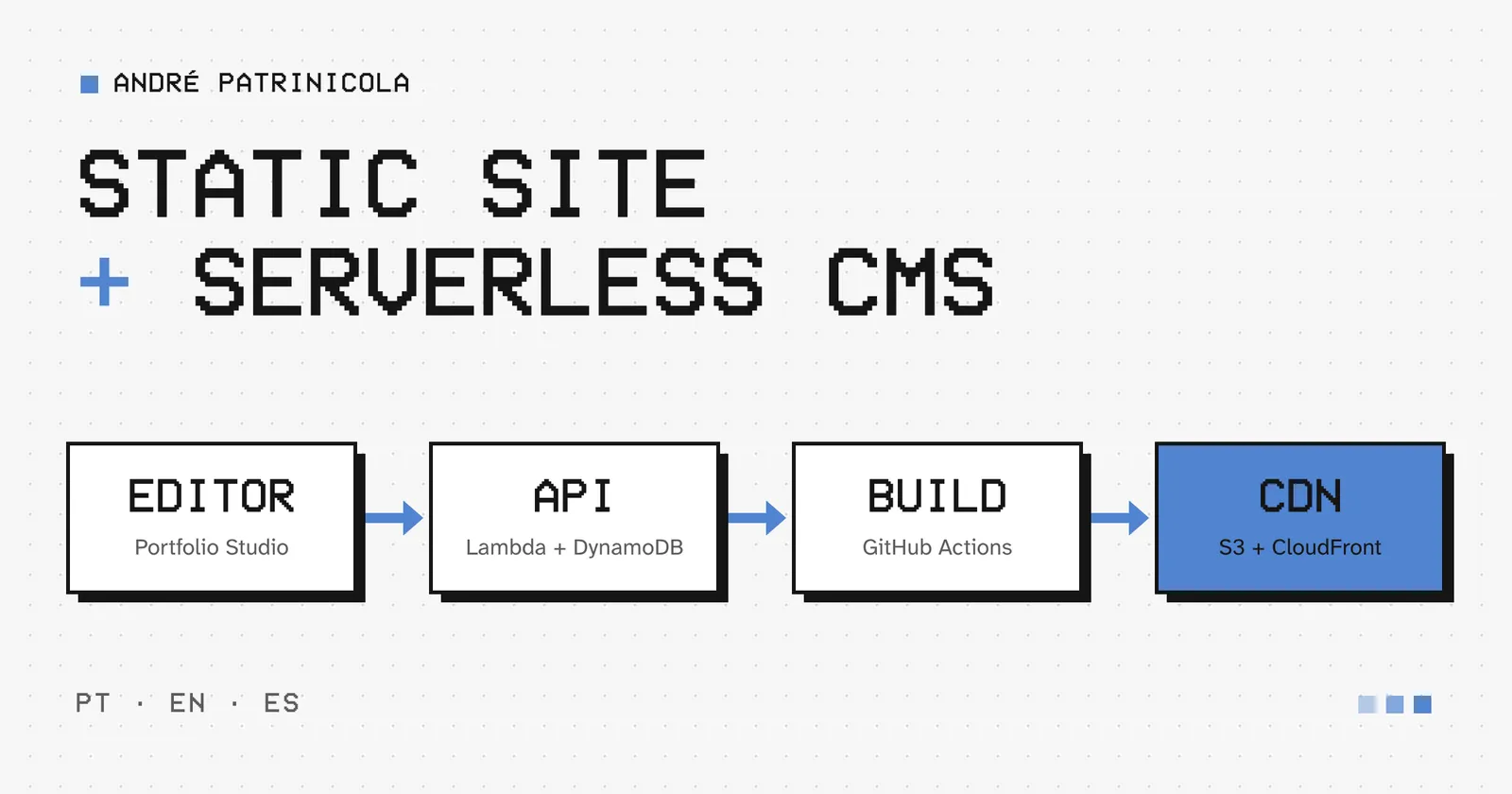
The core idea: the site stays static
Every page on this site is an HTML file generated at build time and served by CloudFront from a private S3 bucket. When you open this article, no API is called and no database is queried.
The blog's content lives somewhere else, in a CMS I called Portfolio Studio. Publishing an article means running the site's deploy again, now with the article included. That separation shaped every other decision.
The site
The site is a React Router app with pre-rendering: at build time, each route becomes a ready-made HTML page with its title, description, structured data and versions in Portuguese, English and Spanish. A CloudFront Function maps clean URLs, such as /en/blog, to the right file in the bucket. The games are independent Vite apps, published to the same bucket.
Article images are processed during the build: they are rotated according to the photo's orientation, stripped of metadata and converted to WebP in four widths (480, 960, 1200 and 1600 px). The originals are never public.
Portfolio Studio
The CMS lives at /admin, inside the site itself, but its HTML holds no content. Everything comes from the API after signing in.
Sign-in: Amazon Cognito with the authorization code + PKCE flow and mandatory MFA. There is a single user, created by me, in the admin group.
API: API Gateway (HTTP API) in front of Node.js Lambdas. The edge validates the token, and the Lambda checks the group and token type again. The browser only decides what to show; the API decides what is allowed.
Editor: Tiptap, limited to the elements the site knows how to render. The document is stored as JSON validated by a schema in the API, so no HTML from the browser is ever stored.
Drafts: autosave after a pause in typing, with optimistic version control. If the same article changes in another tab, I choose which version wins instead of one overwriting the other.
Data: one DynamoDB table for articles, media and deployments, and a private S3 bucket for immutable revisions, original images and snapshots.
Publishing is deploying
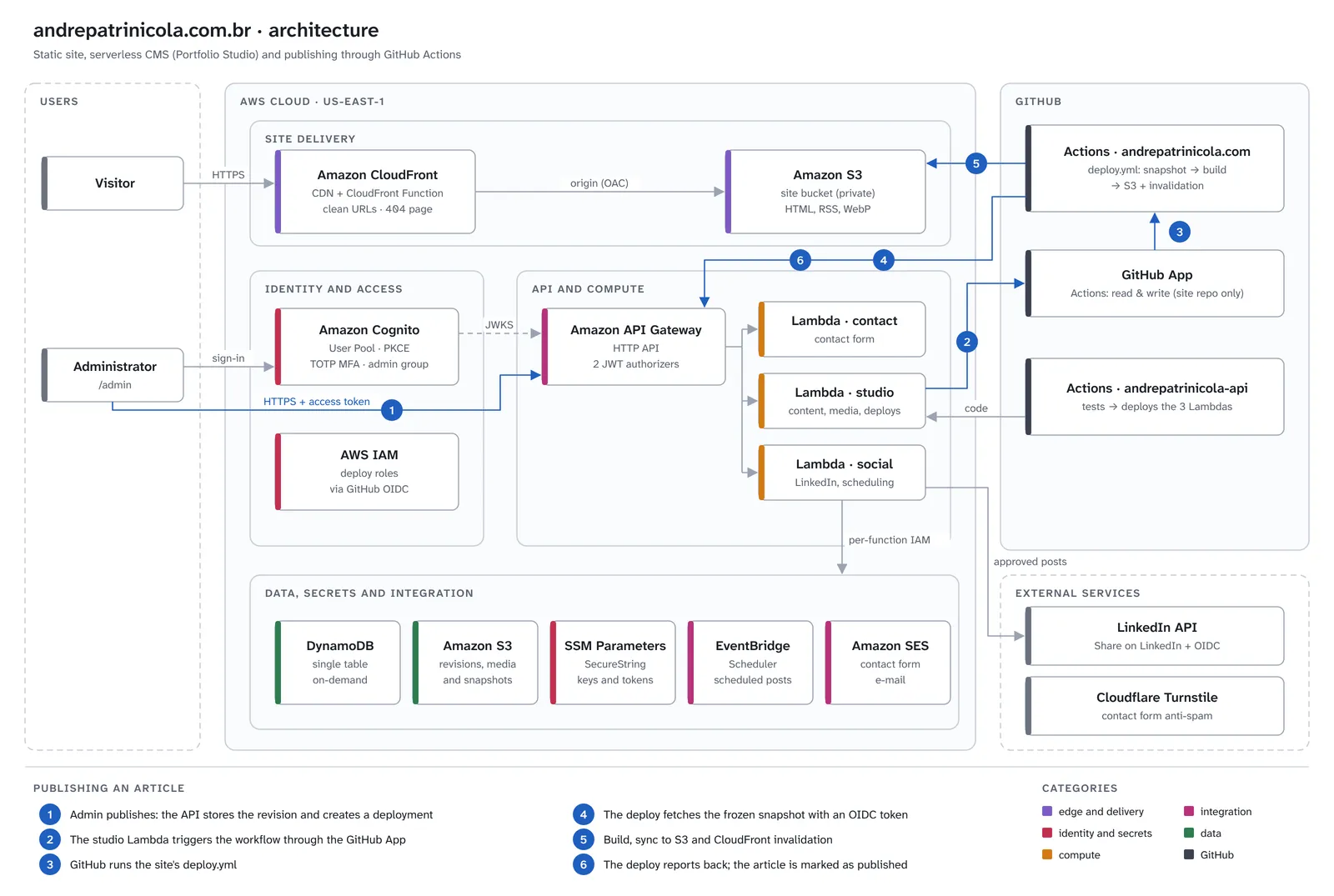
When I click Publish, this happens:
The API stores an immutable revision of the article, reserves the slugs for each language and creates a deployment record.
Through a GitHub App, the API triggers the deploy workflow of the site's repository.
The workflow's first step asks the API for the content to publish. That request freezes a snapshot of what should be live at that moment.
The workflow processes the images, builds the site, syncs the bucket and invalidates the CloudFront cache.
At the end, the workflow reports the result to the API, and only then is the article marked as published.
Freezing the content handles a few cases that seem small but aren't. If I publish another post during a build, it goes into the next deploy without mixing states. If someone re-runs an old workflow, the API refuses it, so stale content never goes back online. If the build fails, nothing is uploaded and the article returns to its previous state.
Security without shared secrets
No long-lived credential travels between services:
The workflow proves who it is to the API with GitHub Actions' own OIDC token. The API only accepts the production job on the main branch of the site's repository.
The API talks to GitHub through a GitHub App installed only on the site's repository, with a single permission: running workflows. The installation token lasts one hour.
Deploys assume AWS roles through OIDC as well, with no access keys stored in GitHub.
The keys that must exist, such as the GitHub App key and the LinkedIn token, live encrypted in SSM Parameter Store, outside the code and outside the Terraform state.
LinkedIn without shortcuts
Sharing an article on LinkedIn also goes through the Studio, always using the official API: the "Share on LinkedIn" and "Sign In with LinkedIn using OpenID Connect" products. No post goes out without my approval, and scheduled posts use EventBridge Scheduler. When the integration isn't connected, the Studio prepares the text and opens LinkedIn so I can post by hand.
Developing without AWS
One part I really enjoyed: working on the Studio doesn't require an AWS account or Docker. Running npm run dev in the API starts a local server that runs the same Lambdas, with DynamoDB, S3, SSM and Scheduler simulated in memory and saved to disk. On the site, npm run dev:studio opens the admin already signed in. Publishing locally runs the same scripts as the real deploy, and the blog updates right away. The same simulations run in the automated tests.
What I learned along the way
A private bucket answers 403, not 404. Without permission to list the bucket, S3 doesn't reveal whether a file exists. For a missing page to show the site's 404, CloudFront has to turn that 403 into /404.html with a 404 status.
Static has a small, predictable cost. Publishing takes as long as a build, a few minutes. In exchange, a traffic spike on an article never touches the backend.
Separating "saved" from "live" simplifies everything. The editorial state and what is published are different fields, and the second only changes when the deploy confirms. That made failures easy to handle.
In upcoming posts I want to go deeper into some of these parts, starting with the publishing flow. Thanks for reading this far.